Stay Focused While Working from Home Using iTop Easy Desktop
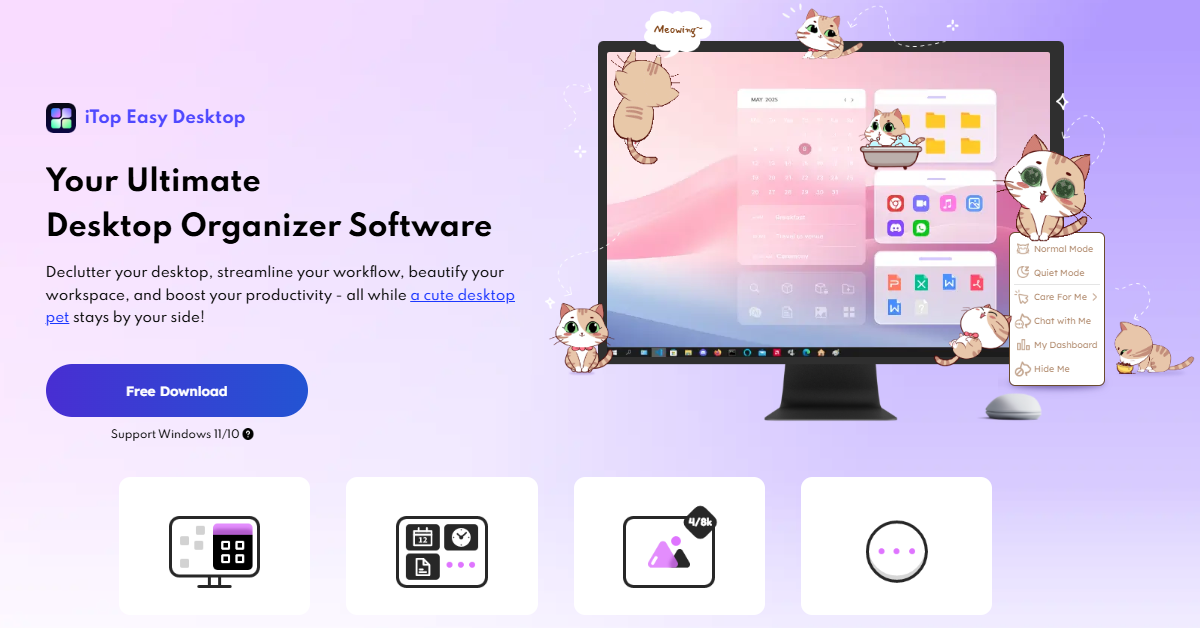
Working from home sounds like a dream. No commute, no dress code, and your coffee is always fresh. But anyone who has tried it for more than a week knows the real story. Your desktop turns into a mess. Files are everywhere, shortcuts pile up, and before you know it, half the day is gone, and you have barely started your actual work.
The good news is that there is a simple fix, and it starts right at your desktop.
iTop Easy Desktop is a free tool for Windows 10 and 11 that helps you keep your desktop clean and your mind focused. It is not just about looks. It is about building a space where you can actually sit down and get things done without feeling stressed or distracted.
Why a Messy Desktop Hurts Your Focus
A messy desktop is more than just an annoyance. It quietly pulls your attention in different directions all day long. Every random file and forgotten shortcut adds to the mental noise, even when you are not aware of it.
When you work from home, things get even harder because:
- No one is reminding you to clean up your files.
- There is no end-of-day routine that helps you properly close things down.
- The mess builds up slowly until one day it feels too much to deal with.
Desktop organizer software like iTop Easy Desktop helps you take control, turning chaos into a clean, focused workspace you actually want to use.
Organize Your Desktop the Easy Way
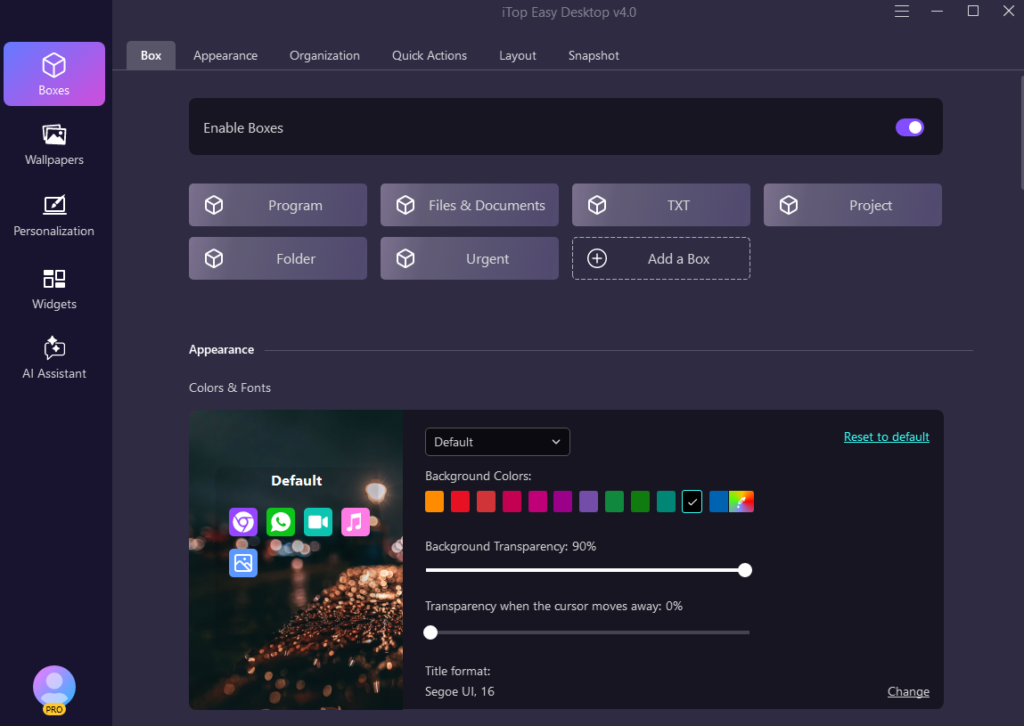
The moment you start using iTop Easy Desktop, you will notice how simple it makes organizing your screen. You can group your icons and files into boxes that work like labeled drawers on a real desk. Everything has a place, and finding things takes seconds.
Here is what makes this feature useful:
- Group files and shortcuts into neat boxes based on your own categories
- Double-click to hide all icons instantly and get a clean screen when you need it.
- In List Mode, you can right-click to choose which details show up, like name, date, and file size.
- Tab Mode now switches to the right tab on its own when you move a file into it.
These little things add up. You spend less time searching for stuff and more time actually working.
Say Hello to PawPal, Your Desktop Cat Assistant
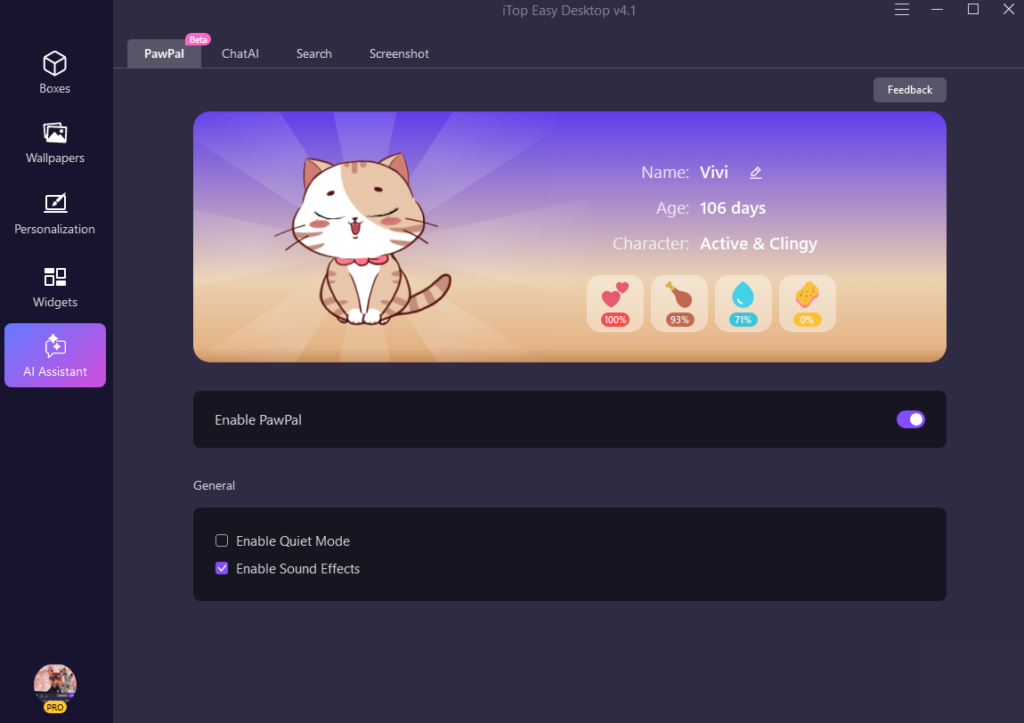
The newest release of iTop Easy Desktop includes an exciting new feature called PawPal. This AI assistant lives directly on your desktop, appearing as a playful cat that moves naturally across your screen.
Here is what PawPal can do:
- She walks around your desktop and keeps you company while you work.
- She sends you friendly reminders so you never forget important tasks.
- You can chat with her anytime for quick help with writing, translation, or summarizing.
- You can interact with her by moving or clicking your mouse, which is a great little stress reliever.
Having help like this right on your desktop means you do not need to open five different apps just to get a simple thing done.
Make Your Workspace Feel Good
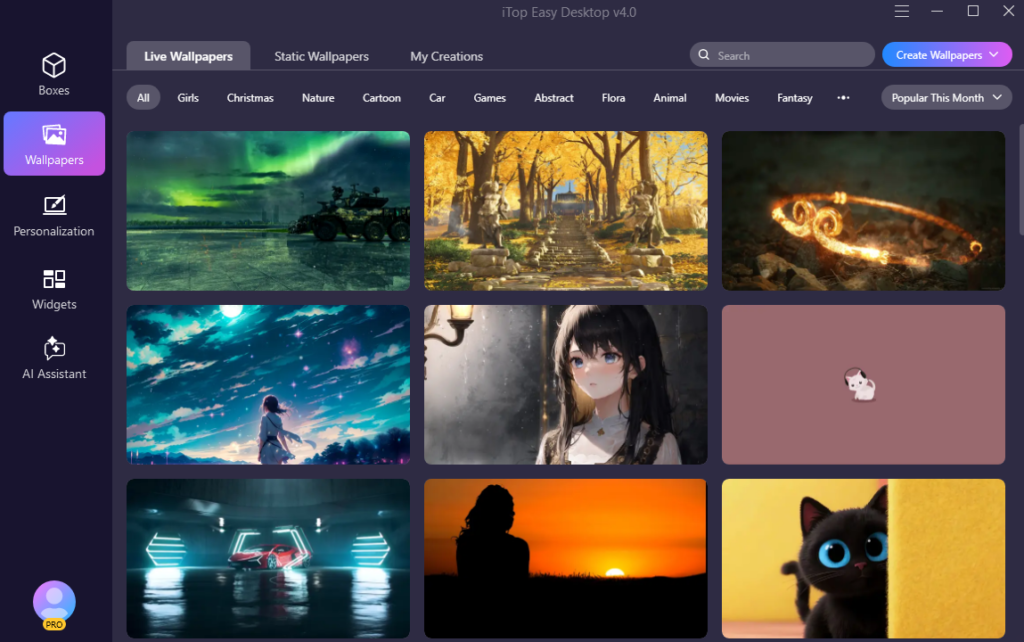
When your workspace looks and feels right, working becomes a pleasure. iTop Easy Desktop lets you customize your desktop exactly the way you want.
Things you can do to personalize your space:
- Pick from thousands of wallpapers or browse collections shared by other users.
- Customize your taskbar and start menu to match your style.
- Set storage limits for wallpapers and let the app clean them up automatically.
- Use handy widgets like a Pomodoro timer, sticky notes, weather updates, and a schedule planner.
- Reset everything back to default with just one click if you ever want a fresh start.
These tools are not just for looks. They help you stay on top of your day without adding extra things to think about.
Conclusion
Staying focused while working from home does not have to be hard. A lot of the time, the issue isn’t your schedule or habits. It is your workspace. When your desktop is a mess, your brain feels it too.
iTop Easy Desktop gives you everything you need to fix that. It helps you organize your files, stay reminded of your tasks, and keep your screen feeling clean and calm. It is free to use and works perfectly on Windows 10 and 11.
Make your desktop organized, efficient, and fun. Download iTop Easy Desktop today and meet your new AI assistant, PawPal!